Key takeaways
A high-quality graphing calculator is crucial for success in AP Calculus AB, as it simplifies complex problem-solving and enhances understanding of calculus concepts. This article highlights the best options for graphing calculators, effective usage strategies during exams, and important calculator policies to ensure students are well-prepared.
- The TI-84 Plus CE is favored by students for its intuitive interface and compliance with College Board standards (2023).
- Familiarity with essential functions like graphing equations and calculating derivatives is vital for improving test performance.
- The TI-Nspire CX CAS offers advanced features for symbolic manipulation, beneficial for students aiming for deeper calculus understanding (2023).
- Students should practice using their calculators regularly to enhance their efficiency and accuracy during the AP exam.
Contents
- 1 What is the Best Graphing Calculator for AP Calculus?
- 2 How to Use Your Calculator Effectively in AP Calculus AB
- 3 Understanding the Calculator Policy for AP Calculus Exams
- 4 How Does Technology Enhance Learning in AP Calculus Courses?
- 5 Exploring Alternatives: TI and Casio Calculators for AP Calculus
- 6 FAQ
A high-quality graphing calculator proves essential for students who want to succeed in AP Calculus AB examinations. Reliable calculators both simplify intricate problem solving as well as deepen students’ understanding of calculus fundamentals.
This article will explain available options for graphing calculators along with effective use strategies during the exam while providing information about calculator policies.
The effective use of graphing calculators remains fundamental for both students and their teachers who want to succeed in AP Calculus AB curriculum.
What is the Best Graphing Calculator for AP Calculus?
Why is the TI-84 Plus CE Popular Among Students?
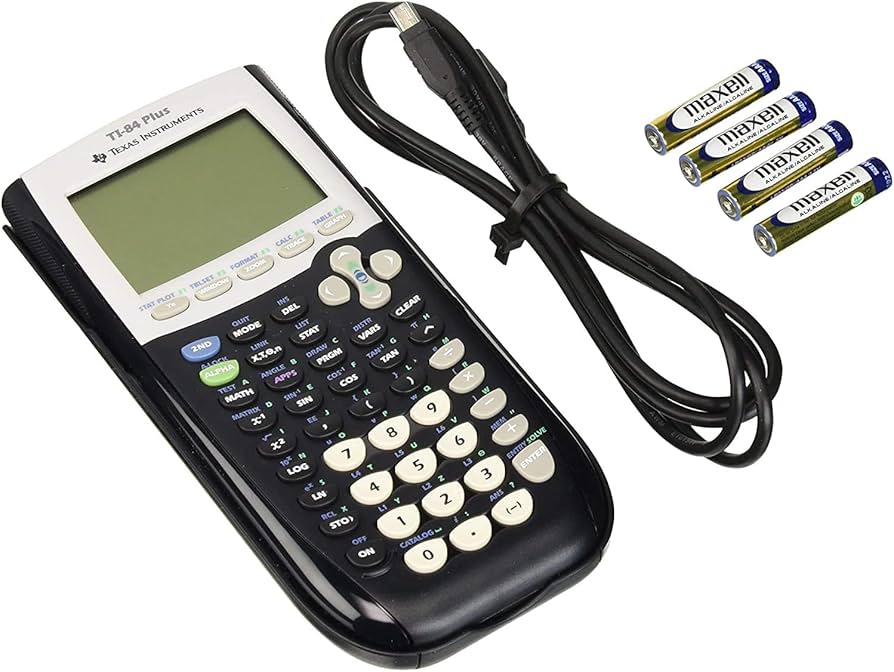
Many students who study AP Calculus AB select the TI-84 Plus CE as their device of choice for solving calculus problems. Students admire the TI-84 Plus CE because it combines an intuitive interface with full functionality to handle complex calculus problems.
The TI-84 Plus CE provides students with a combination of features including its color display and installed applications that help them see functions and process their data more efficiently.
This device satisfies College Board standards to receive approval for AP Calculus exam usage thus students can feel confident when using it during their test. The combination of simplicity and capability from this model positions it as one of the top choices for AP Calculus calculator solutions.
How Does the TI-Nspire CX CAS Compare to Other Models?
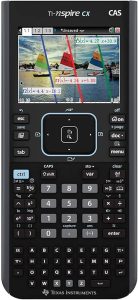
The TI-84 Plus CE lacks a Computer Algebra System (CAS) because the TI-Nspire CX CAS system enables users to symbolically work with algebraic expressions and solve equations and perform analytical derivative and integral calculations.
Students who aim to enhance their calculus knowledge can find optimal value from this TI-Nspire CX CAS feature. Students need to follow the AP Calculus exam calculator policy since several CAS functions are restricted during the assessment. Formerly available to advanced users of calculus BC and higher levels would find the TI-Nspire CX CAS particularly beneficial for their academic needs.
What Features Should You Look for in a Calculator?
Legacy Online School wants to ensure that students understand what features to look for in calculators, so here are several of them listed below:
- A built-in graphing capability to plot functions and visualize derivatives and integrals.
- A high-resolution display for viewing detailed graphs and data tables.
- A support for number calculations and sufficient memory for storing functions and data
- A compatibility with the list of approved calculators for the AP exams.
How to Use Your Calculator Effectively in AP Calculus AB
What Functions Are Essential for the AP Calculus Exam?
Here are several essential functions for the AP Calculus AB exam shown below:
- Graphing equations
- Finding zeros
- Calculating derivatives and integrals
- Solving algebraic equations.
Students’ test performance will be directly influenced by your accuracy and efficiency when using these calculator operations. Before using the calculator for calculus problems everyone should become comfortable with its interface while also learning its different functions.
How Can You Practice Using a Calculator for AP Exams?
Here is how students can practice using a calculator for their AP exams shown below:
- Integrate the calculator into daily study routine
- Use the calculator to solve practice problems and past AP exam questions
- Use online resources and tutorials that offer step-by-step instructions on how to use a calculator effectively.
The more students practice, the more adept they will become at leveraging the calculator’s capabilities on the AP exam.
What Mistakes to Avoid While Using a Calculator?
Here are several mistakes students should avoid shown below according to Legacy Online School’s research and discussions with students:
- Over-reliance on the calculator without understanding the underlying calculus concepts
- Inattention to the calculator’s settings like mode and angle unit for accuracy
- Misinterpretation of calculator outputs like misreading graphs or solutions
- Unawareness specific functions allowed by the College Board during the AP Calculus exam.
Understanding the Calculator Policy for AP Calculus Exams
What Calculators Are Approved for AP Calculus Exams?
According to the College Board’s calculator policy, several models are approved for use during AP Calculus exams. These models include the TI-83 series, TI-84 series, TI-Nspire (non-CAS) models, and certain Casio calculators. It’s important to consult the official list of approved calculators before the exam to ensure compliance.
What Are the Restrictions on Calculator Use?
During the AP Calculus exam students can use calculators yet their usage must comply with specific rules provided by the College Board. The TI-Nspire CX CAS type calculator can be used during tests but its CAS functions remain restricted. Students must understand the operational boundaries of their calculators at the AP Calculus exam to prevent any problems.
Students who take the AP Calculus exam receive guidance from the College Board about fair assessment while their calculus understanding gets evaluated rather than their specialized calculator skills.
How to Ensure Your Calculator Meets Exam Requirements?
Students need to verify their model corresponds to the approved calculator list for AP Calculus exam usage. They should verify that their calculator operates in the proper mode either as degrees or radians to satisfy the problem specifications.
Highschoolers must supply backup calculators along with spares batteries because technical issues might appear during the examination.
The test allows specific functions for use so students should learn these functions along with practice methods for their effective use. Taking these specific steps ensures kids will obtain enhanced performance from their calculators during their examination.
How Does Technology Enhance Learning in AP Calculus Courses?
What Role Do Graphing Calculators Play in Learning Calculus?
With their graphing functionality graphing calculators provide students the ability to display functions while they can study the equation behavior and investigate calculus topics like limits alongside derivatives and integrals. The interactive features of graphing calculators help students obtain better comprehension of abstract subjects which results in improved accessibility and engagement.
Through experimentation and exploration students enhance their problem-solving abilities and critical thinking because of these calculators. The educational setting uses these tools as intermediaries to connect abstract concepts from textbooks with real-world implementation.

How Do Calculators Help with Understanding Derivatives and Integrals?
The fundamental concepts of calculus gain better understanding through the use of calculators which process derivatives and integrals.
A graphing calculator helps students view the slope of a function’s tangent line which enables better understanding of the derivative concept. Through its visual representation calculators show students the area which represents curving quantities helping them understand integrals.
The visual display provides students with better understanding of these challenging concepts through simple visual methods. Students can use calculators to conduct symbolic differentiation and integration procedures which enables them to check their manual work and tackle advanced problems without doubt.
What Are Some Unapproved Calculators and Technology?
Several calculator types receive approval for AP Calculus assessment but the exam board specifically prohibits certain models or technological solutions. Whole groups of technology are prohibited including QWERTY keyboard calculators and tablet computers with any connectivity features along with devices that record audio or video. The examination requires us to stay away from unapproved technologies because they might lead to infractions.
The College Board establishes strict testing rules which students must follow to protect the examination results’ integrity.
Exploring Alternatives: TI and Casio Calculators for AP Calculus
What Does TI Offer for Precalculus and AP Calculus?
Students who study precalculus or AP Calculus can access suitable TI calculators from Texas Instruments which include their TI product line.
The TI-84 Plus CE along with the TI-Nspire CX emerge as the most popular choices because they offer necessary functions that include graphing capabilities and equation solving along with calculus features. These calculators provide support for algebra learning all the way through calculus at advanced levels thus offering students a flexible educational tool for complete mathematics instruction.
TI calculators establish themselves as durable machines with broad educational resources such as online tutorials and teacher workshops making them attractive to students.
How Do Casio Calculators Compare to TI Models?
Casio provides affordable graphing calculators that present alternative functions and benefits compared to TI solutions. The fx-CG50 along with other Casio graphing calculators presents users with high-definition screens and easy-to-use interfaces which enable students to overcome AP Calculus difficulty levels. The affordability of Casio calculators makes them affordable choices for student purchase.
Users can perform calculus functions through Casio calculators which maintain equal capabilities as TI calculators and are included in the AP exam approved calculator list. The selection between TI and Casio calculators will depend on individual preferences together with monetary constraints.
Should You Consider the TI-89 or Other Advanced Models?
Higher-level mathematics students would find advantage in investing in TI-89 models together with other advanced calculators including TI-Nspire CX CAS. These calculators deliver amplified computation capability combined with symbolic mathematics functionality that supports complex problem-solving needs.
Students should check whether these devices support the AP Calculus exam requirements since certain programming functions could be restricted. Students planning to pursue mathematics or engineering degrees should consider purchasing advanced calculators because these devices offer them increased computational power together with advanced symbolic mathematics functionality.
The standard model of calculator is suitable for AP Calculus AB since it provides necessary features without compromising test requirements.

FAQ
Q: What is the list of approved handheld graphing calculators for the AP Calculus AB exam?
A: The College Board provides a list of approved handheld graphing calculators for use during the AP Calculus AB exam. This list includes models from manufacturers such as Texas Instruments (e.g., the TI-84 calculator), Casio, and HP. It’s important to ensure that your calculator is on the approved list to avoid any issues during the exam.
Q: Can a calculator be used for both AP Calculus AB and BC exams?
A: Yes, a calculator may be used for both the AP Calculus AB and BC exams, provided it is an approved model. The same list of approved handheld graphing calculators applies to both courses, and their use is integral to solving problems involving functions, derivatives, integrals, and other calculus concepts.
Q: Are there any restrictions on using a built-in Desmos graphing calculator during the AP Calculus AB exam?
A: The built-in Desmos graphing calculator is not allowed during the AP Calculus AB exam. Students must use an approved handheld graphing calculator. The built-in Desmos graphing calculator may be available in other contexts, but not for this specific AP exam.
Q: What role does the calculator play in the AP Calculus AB exam according to the AP guidelines?
A: The calculator is crucial for solving complex problems involving graphing and analyzing functions, calculating derivatives, and evaluating definite integrals. Its capabilities are described in the AP guidelines, and students are encouraged to become familiar with their calculator’s functions before the exam.
Q: Is a scientific calculator sufficient for the AP Calculus AB exam?
A: No, a scientific calculator is not sufficient for the AP Calculus AB exam. Students are required to use an approved handheld graphing calculator to handle the more advanced computations and graphing tasks that are part of the exam’s requirements.
Q: Can you use a 4-function calculator on the AP Calculus AB exam?
A: No, a 4-function calculator is allowed only in certain scenarios, such as some specific accommodations. For the AP Calculus AB exam, an approved handheld graphing calculator is necessary to perform the required calculations.
Q: What should students know about courses and calculator use in the AP Calculus AB curriculum?
A: Students should be aware that graphing calculators play a significant role in both the courses and exams for AP Calculus AB. They are used to explore and solve problems involving calculus concepts. Familiarity with the calculator’s functions is essential for both coursework and the exam.
Q: Are there any approved accommodations for calculator use during the AP Calculus AB exam?
A: Yes, approved accommodations can be made for students who qualify for them, and this may include specific instructions on calculator use. Students should coordinate with their school’s AP coordinator to ensure any accommodations are in place well before the exam date.
Q: How can students ensure they are using an approved calculator for the 2025 AP exams?
A: Students should check the latest list of approved calculators provided by the College Board, which is updated annually. This will ensure that the calculator they plan to use is still approved for the 2025 AP exams. Additionally, consulting with teachers and AP coordinators can provide further assurance.